

You have probably seen the little bubbles all over your feed this month.
OpenAI calls them Dots. And unlike every chat you have ever had with ChatGPT, a Dot keeps working after you close the tab.
Most business owners I talk to still use ChatGPT like a search bar. They open it, ask one question, copy the answer, and close it.
That works for a caption. It does nothing for the work that piles up while you are on calls, at showings, in client meetings, or out of the office.
Here's the thing. A ChatGPT Dot is not a smarter chat window. It is an assistant with its own computer. Most people will spend their first week asking it trivia. The owners who hand it real chores will get hours back.
This post covers what ChatGPT Dots actually are, what they cost, the three jobs I would hand a Dot first, and the rules to set before you give it the keys.
What ChatGPT Dots actually are
OpenAI launched Dots on September 29, 2026 at DevDay. They run on OpenAI's GPT-6 Astra model, and each Dot gets its own cloud computer with a browser. You can open it any time and watch what it is doing.
The setup is simple:
- You give it a goal. Not a one-off prompt. A responsibility, like "watch my inbox" or "track my unpaid jobs."
- You connect the apps it needs. Dots reach more than 4,000 apps through OpenAI's plugins, including Gmail, Google Calendar, Slack, and Microsoft Teams.
- You decide what it can do on its own. Some actions run by themselves, some ask you first, and some get handed back to you.
You can message your Dot from ChatGPT on desktop or mobile, from Slack, or from Teams. You can even call it by voice from inside ChatGPT. The context carries across all of them, so the Dot you talk to in Slack knows what you told it in ChatGPT that morning.
That is the part that matters. A regular chat forgets you the second you close it. A Dot keeps a to-do list, tracks progress between conversations, and comes back to you with what it found.
What ChatGPT Dots cost (and who gets one)
Your first Dot is included with ChatGPT Pro, which starts at $100 a month. OpenAI sells Pro in $100, $200, and $500 tiers. Dots are also rolling out on Business Premium and Enterprise. On Enterprise, a workspace admin has to switch them on.
Dots are not part of Free, Go, or Plus.
A few more things to know before you upgrade:
- The rollout is gradual. OpenAI says you may not see a Dot right away even on an eligible plan.
- Some regions are excluded at launch. Pro users in the European Economic Area, the United Kingdom, and Switzerland do not get Dots yet.
- Extra Dots will cost more later. OpenAI has said more Dots and more speed will come at a higher price. It has not said how much.
- Chatting with your Dot does not count against your ChatGPT usage limits. Work it kicks off in other OpenAI tools still counts toward those tools.
So the question is not "is $100 a month a lot." The question is whether a Dot will do $100 of work you are currently doing yourself. For most owners, one forgotten invoice answers that.
The safety setup matters more than the features
Every demo shows what a Dot can do. The part that matters for a business is what it cannot do without you.
Here is how OpenAI built the guardrails:
- When a Dot has nothing assigned, it can only read. It cannot send or change anything.
- Moving money and changing passwords always come back to you.
- Every action that touches your accounts gets checked first. The Dot either proceeds, asks for your approval, or hands that step to you.
- Your own instructions cannot override the built-in safety rules. You can tighten them. You cannot turn them off.
OpenAI is also upfront about the limits. A Dot can make mistakes, and stopping a task does not undo the actions it already finished. That one line should shape how you set it up.
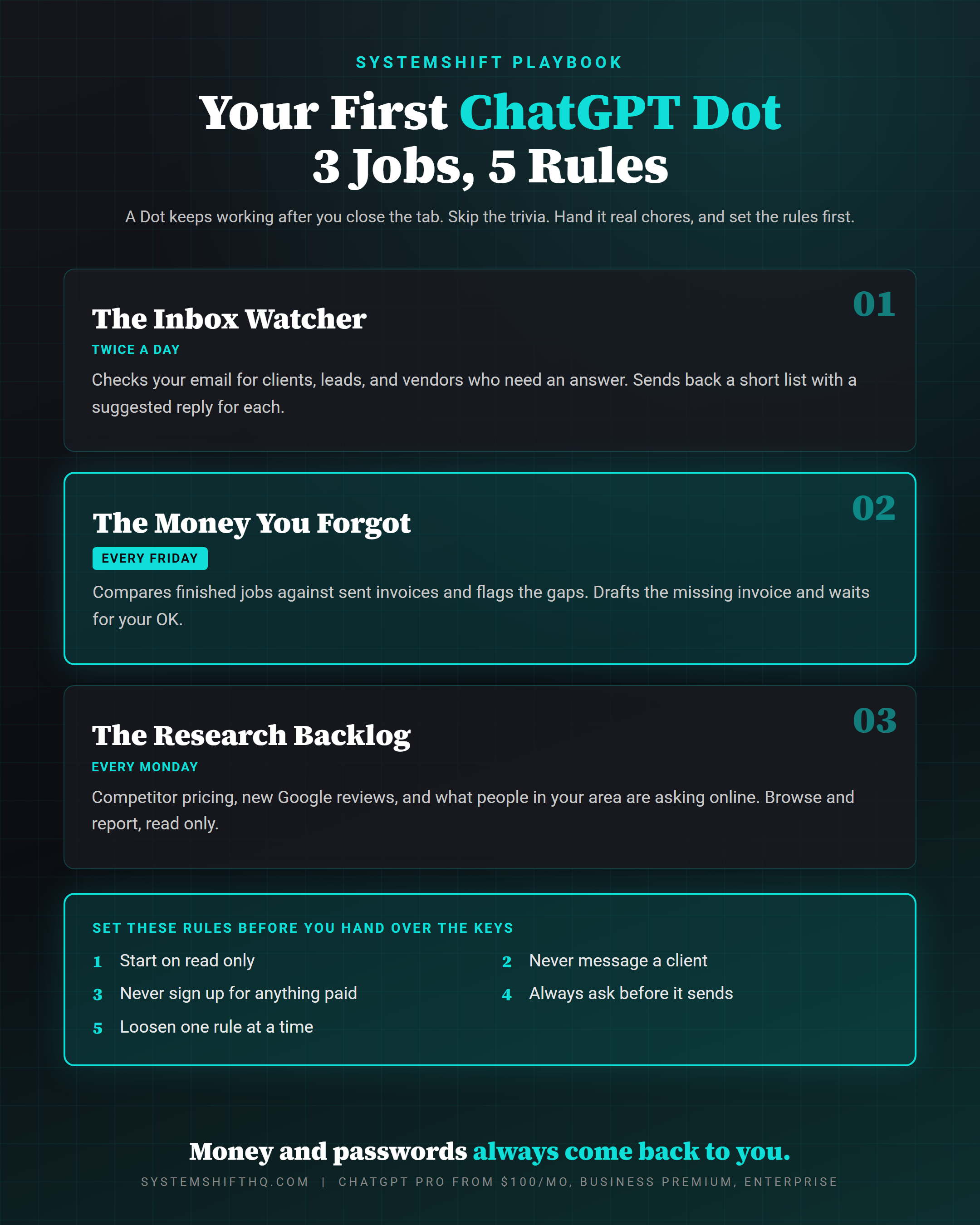
The first 3 jobs to hand your ChatGPT Dot
Skip the trivia. Hand it the chores that eat your week.
Job 1: Make it your inbox watcher
Connect your email and have your Dot check it twice a day for anything from a client, a lead, or a vendor that needs an answer.
Ask for a short list back with a suggested reply for each one.
You are not letting it answer anybody. You are letting it sort the pile so you open your inbox to five things that matter instead of 140 things that might.
My first Dot does exactly this. It watches my client folders and my email, then reports what came in twice a day.
What this looks like in your world:
- Real estate agents: flag every new inquiry, showing request, and lender update.
- Insurance agents: flag renewal questions and claim updates from existing clients.
- Financial advisors and CPAs: flag document requests and anything with a deadline in it.
- Attorneys and consultants: flag new matter inquiries and anything a client marked urgent.
Job 2: Let it find the money you forgot
One of OpenAI's early testers forgot to bill a publication he worked with. His Dot caught it, drafted the invoice, and waited for his OK before it went out.
That is the whole job, and most owners need it.
Ask your Dot to compare finished jobs against sent invoices every Friday and flag anything missing. Give it read access to wherever your work lives, your calendar, your project list, or your CRM, and read access to your invoices.
Then have it draft the missing invoices for you to review. It drafts, and you decide what goes out.
Service businesses leak money in the gap between "the work is done" and "the invoice went out." A Dot that checks that gap every week pays for itself the first time it finds one.
Job 3: Hand it the research you keep putting off
You know the list, because you have been meaning to get to it for months.
- What your three closest competitors charge right now.
- What new reviews landed on your Google Business Profile this week, and which ones need a reply.
- What people in your area are asking online this month about your service.
Every one of those is a browse-and-report job, which is exactly what a ChatGPT Dot does well. Research runs read only, so there is nothing for it to break. Ask for a short summary every Monday and you walk into the week knowing more than your competition.
Set the rules before you hand over the keys
This is where most people will get burned. They hand a Dot a vague task, walk away, and let whatever comes back go straight out the door.
Don't.
Here are the rules I would write into every new Dot:
- Start on read only. No sending, no changing, no deleting. Just watching and reporting.
- Never message a client. Put it in writing in the Dot's instructions.
- Never sign up for anything paid. No free trials, no subscriptions, no "just $9 to unlock this."
- Always ask before it sends. Drafts come to you. You hit send.
- Loosen one rule at a time. Once you trust what it brings back for a couple of weeks, open up one permission. Watch it. Then decide on the next one.
And read anything that touches a customer before it goes out. Every time. OpenAI itself says Dots can still make mistakes, and your client does not care that the robot wrote it.
If you want a way to tell whether your Dot is actually earning its keep, the same scorecard I use for any agent works here. I break it down in the 4-metric AI agent evaluation test.
ChatGPT Dots vs. a regular ChatGPT chat
Here is the simplest way to think about it:
| Regular ChatGPT chat | ChatGPT Dot | |
|---|---|---|
| When it works | Only while you are typing | Between conversations, after you close the tab |
| What it remembers | The current chat | Your goals, progress, and to-do list |
| Where you reach it | ChatGPT | ChatGPT, Slack, Teams, and voice |
| What it can touch | What you paste in | Connected apps, with permissions you set |
| Best use | One question, one answer | A recurring job you never want to think about again |
If your work is one-off writing, a regular chat is still fine. If your work is "check this every day and tell me when something needs me," that is a Dot.
Want the bigger picture on how AI agents fit into a service business? Start with AI agents for businesses and 3 AI agents every business owner can use.
What to do this week
- Check your plan. If you are on Free, Go, or Plus, you do not have a Dot. Decide if one recurring job is worth $100 a month.
- Pick one job. Inbox watcher, missed invoices, or research. Just one.
- Write the rules first. Read only, never message a client, never sign up for anything paid, always ask before sending.
- Run it for two weeks. Read everything it brings back.
- Loosen one rule. Only if it earned it.
FAQ
What are ChatGPT Dots?
ChatGPT Dots are always-on AI assistants inside ChatGPT that OpenAI launched on September 29, 2026. Each Dot runs on its own cloud computer, connects to your apps, and keeps working on a goal after you close the conversation. You can message it from ChatGPT, Slack, Microsoft Teams, or by voice.
How much does a ChatGPT Dot cost?
Your first Dot is included with ChatGPT Pro, which starts at $100 a month, and it is rolling out on Business Premium and Enterprise plans. Dots are not included in Free, Go, or Plus. OpenAI has said extra Dots and more speed will cost more later but has not announced pricing.
Are ChatGPT Dots safe to use for business?
They are safe to start if you set them up carefully. A Dot with nothing assigned can only read, money and password changes always come back to you, and actions on your accounts get checked first. Dots can still make mistakes, so start on read only, require approval before anything sends, and review anything that touches a customer.
What is the best first job for a ChatGPT Dot?
For most service business owners, an inbox watcher. Have it check your email twice a day and return a short list of client, lead, and vendor messages that need an answer, each with a suggested reply. It saves time on day one and never sends anything on its own.
Bottom line
ChatGPT Dots are the first AI assistant most business owners can hand a real, recurring job.
Most people will waste the first week on trivia. You don't have to.
Pick one chore this week, write the rules before you connect anything, and let it run for two weeks before you trust it with more.
If you want help writing the instructions for your first Dot, or you would rather have the whole back office built for you, Dots included, grab a time with me.
Ready to Automate Your Business?
Book a free strategy call and we'll map out exactly what to build first.
Book Your Call
Join the Conversation