

You finished the job. The customer was happy. They even said "you guys were great." And then you both moved on, and that 5-star review you earned never got written.
That is not a customer problem. It is a process problem. And it is costing you more than you think.
Why Your Review Pipeline Is Leaking Money
Reviews are not a vanity metric. They are the thing that decides whether a stranger calls you or calls your competitor.
The numbers are not close. 97% of consumers read reviews for local businesses, according to BrightLocal's Local Consumer Review Survey. And 87% of customers will not even consider a business with low ratings (Search Engine Land). So before you ever get a chance to sell, your review profile already voted for you or against you.
It compounds from there. Research from Northwestern's Spiegel Research Center found that the purchase likelihood for a product with five reviews is 270% higher than one with none. Most of that lift comes from the very first handful of reviews. And businesses with 100+ reviews earn roughly 52% more revenue than those with fewer than 10, with every single star of average rating worth another 5% to 9% in revenue.
Reviews even move your Google ranking. They make up roughly 10% of how Google sorts local search results, which is exactly why this connects straight to your local SEO checklist.
So you have a process that drives ranking, conversion, and revenue all at once. And most owners run it on memory.
Why "Just Ask" Always Fails
Here is the part that should make you a little angry.
When customers get asked for a review, 83% of them leave one. That is the BrightLocal number again. Willingness is not the bottleneck. The ask is the bottleneck.
Think about how the manual version actually goes. You wrap a job at 4:45 PM, you have two more stops, your phone is at 11%, and "ask for a review" lives on a sticky note that fell behind your desk in March. You remember to ask maybe one customer in ten. And the one time you do remember, you ask three days late, when the glow has worn off.
There is also a freshness tax. 74% of consumers specifically want reviews written in the last three months. Old reviews quietly stop counting, which means asking is not a one-time push. It has to be a system that runs on every single customer, forever, without you.
That is what automation is for. You build the ask once, and it fires itself every time, at the perfect moment, whether you remember or not.
The Review-Request Process, Mapped
Strip away the tools and every good review system is the same five steps: a trigger, a wait, a send, a gate, and a route.
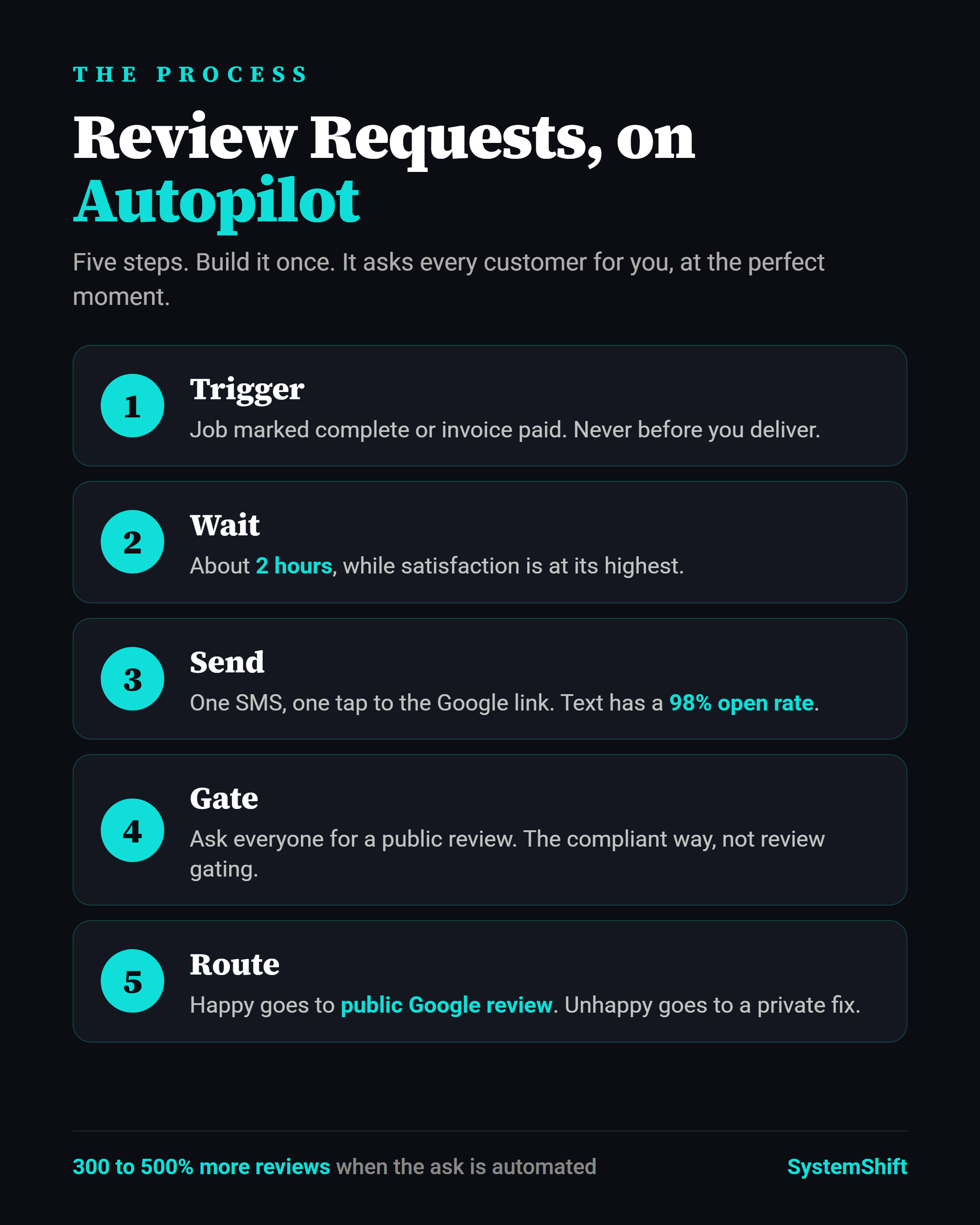
Once you see it as five steps, it stops being a vague good intention and becomes something you can actually build. Let me walk each one.
Step 1: Define the Trigger
The trigger is the moment your system decides a customer has earned the ask. Pick the event that means "the work is done and they are happy right now."
For most service businesses that is one of these: an opportunity marked "Won" or moved to a "Completed" pipeline stage, an invoice marked paid, or an appointment marked as fulfilled. Pick the one that is most reliably tied to a finished, positive experience.
The rule: never trigger off booking or off first contact. Trigger off delivery. You want to ask when the value is freshest in their mind, not before you have delivered it.
Step 2: Nail the Timing
This is where most "review tools" get lazy and just say "wait 24 to 48 hours." The data says go faster.
Satisfaction peaks right after the work is done, then decays. Pair that with channel behavior: SMS has about a 98% open rate versus roughly 20% for email, per Kenect. So the moment you ask, they will see it.
My default cadence: wait about 2 hours after the trigger, then send the first ask by text. If there is no review after 3 days, send exactly one reminder. Then stop. One well-timed ask plus one reminder captures almost everyone who was ever going to act. A third and fourth nudge just annoys the people who already said no and trains them to mute you.
Step 3: Pick the Channel and Write the Message
Text first. Email as backup. The open-rate math makes that decision for you.
Keep the message short, human, and one tap away from done. Something like:
"Hey [first name], it's Rock at [business]. Really glad we could help with [job]. Would you mind leaving us a quick review? Takes 20 seconds, and it genuinely helps a small business like ours: [review link]"
Three things make that work. It uses their name. It names the specific job so it does not feel like a blast. And it links straight to the review screen, not your homepage. Every extra tap you make them do is a customer you lose. Use a direct Google review link that opens the rating box already loaded.
Step 4: Build the Feedback Gate the Compliant Way
Here is the step people get wrong and sometimes get in trouble for.
The wrong way is "review gating": only sending the public review link to people you already know are happy and hiding the link from everyone else. Google's policy prohibits that, and it can get your reviews filtered or your profile flagged.
The right way is to ask everyone for a public review, and give the rare unhappy customer an easy private path to vent to you first. So your text asks the public-review question to all. If someone replies that something was off, your workflow routes that conversation to a private feedback form and pings you to make it right. You are not blocking anyone from the public site. You are giving unhappy customers a faster, more satisfying option, and most will take it.
One honesty note from the same Spiegel research: the sweet spot for conversions is a 4.0 to 4.7 average, not a flawless 5.0. A perfect score reads as fake. A handful of honest 4-star reviews makes the 5-stars believable. Do not chase perfection. Chase volume and honesty.
Step 5: Build It in GoHighLevel
If you run GoHighLevel, this is one workflow. Here is the literal build:
- Trigger: Opportunity Status Changed to "Won" (or Pipeline Stage = "Completed").
- Wait: 2 hours.
- Send SMS: your review-request message with the Google review link merge field.
- Condition (the gate): branch on the customer's reply. Positive or no negative reply continues on the public-review path. A negative reply branches to "send private feedback form" plus "create task for Rock to call."
- Wait: 3 days, then check if a review was left. If not, send one reminder SMS or email.
- Exit.
No GoHighLevel? The logic is identical in any decent CRM or even a tool like Zapier plus your texting platform. The trigger, wait, send, gate, route pattern does not care what software runs it. This is just one more workflow to add next to the others in our GoHighLevel automation recipes, and it runs on the same SMS-first speed that wins you leads in the first place with speed-to-lead automation.
The ROI Math
Let me make this concrete, because nobody else does.
Say you serve 40 customers a month and currently ask maybe 4 of them, landing 1 or 2 new reviews. Automating the ask hits all 40. UENI reports that automated review requests can increase review volume by 300% to 500%. Apply the conservative end and your 1 to 2 reviews a month becomes 6 to 8.
At that pace you cross 100 reviews inside a year instead of never. Cross that line and you are in the 52%-more-revenue tier. Move your average up one full star along the way and that is another 5% to 9% on top. For a business doing $30,000 a month, a single star is $1,500 to $2,700 a month. From a workflow you build once.
That is the whole point of systemizing this. It is one of the highest-ROI processes to automate first, right alongside the rest of your business automation stack. Review requests are just marketing automation working quietly in the background while you do the actual work.
FAQ
Is automated review gating allowed?
Asking everyone for a public review and offering unhappy customers a private feedback path is fine. Hiding the public link from people you suspect are unhappy is gating, and Google prohibits it. Build the compliant version in Step 4.
How often should I ask the same customer?
Once per completed job, plus one reminder if they do not act within a few days. Then stop until their next job. More than that reads as spam.
SMS or email?
Lead with SMS. A 98% open rate beats email's roughly 20%. Use email as the backup channel in your reminder step.
What if I get a bad review anyway?
You will, eventually, and that is healthy. A 4.0 to 4.7 average converts better than a suspicious perfect 5.0. Respond publicly, calmly, and fix the issue. One good response to a bad review sells more than ten 5-stars.
Do I need GoHighLevel for this?
No. GoHighLevel makes it a single workflow, but the trigger, wait, send, gate, route pattern works in any CRM. The system matters more than the software.
Build One, Then Walk Away
Pick your trigger. Write your one text. Build the five steps. Turn it on.
Then never think about asking for a review again, because the system does it for every customer, at the perfect moment, on the channel they actually read. That is the difference between hoping for reviews and manufacturing them.
If you want this built and tested inside your account this week, that is what we do. We wire up the workflow, set the gate the compliant way, and hand you a review engine that runs itself.
-Rock
P.S. Not sure what your current review process is actually costing you? Reach out and we will map it for free. Most businesses are leaving dozens of 5-star reviews, and the revenue attached to them, sitting on the table every month.
Ready to Automate Your Business?
Book a free strategy call and we'll map out exactly what to build first.
Book Your Call
Join the Conversation